The admin activity feed
Jun 9, 2026
Running a tournament, league, or club means a lot of moving parts, and a lot of hands touching them. Players register and drop out, payments come and go, scores get corrected, roles change. Until now, those changes happened quietly in the background. The new admin activity feed pulls all of it into one place so you always know exactly what is going on behind the scenes.
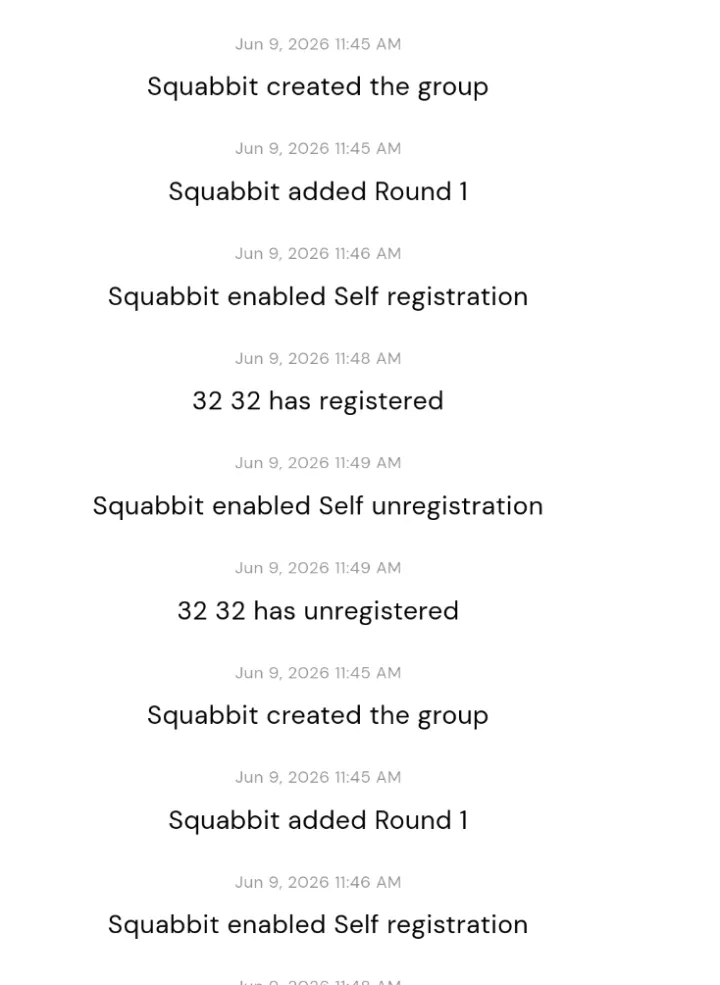
A full audit log for your group
Open your group's activity view and you will see a new "Admin" chip. Tap it to switch into the admin activity feed: a complete audit log of who did what, and when. It is the answer to questions like "who removed that player?" or "when did this fee get added?"
The feed records the events that actually matter to organizers: registrations and unregistrations, payments, fees and expenses, role and ownership changes, score edits, handicap overrides, tee-time and round changes, and settings changes. If it affects your group, it shows up here.
Every entry names a name
Each entry tells you two things at a glance: who the actor was, and what they changed. No more guessing whether you or a co-admin made an edit, or wondering when something shifted. The feed reads top to bottom as a clear, timestamped history of your group.
Filter to just what you need
A busy group generates a lot of activity, so you can narrow the feed with filter chips. Want to review only the money side? Tap the money filter to see payments, fees, and expenses. Chasing a roster question? Filter to roster changes. Tracking down a scoring correction? Filter to scoring. The category chips let you cut straight to the events you care about.
Admins only
The admin activity feed is exactly that: admin only. Regular members never see it. It is a private record for the people responsible for running the group, giving you accountability and peace of mind without exposing the inner workings to everyone else.