The Squabbit Developer API: read your golf data as JSON
Nov 17, 2026
Your rounds, your tournaments, your league standings: all of that already lives in Squabbit, and the app already gives you plenty of ways to work with it, from live, scrollable leaderboards you can put up on a screen to a full CSV export of your data.
Now there is one more, for the tinkerers and integrators: a read-only REST API. Create a personal access token, send it as a bearer header, and pull your rounds and leaderboards back as clean JSON, live. If you can make an HTTP request, you can build your own thing on top of your Squabbit data.
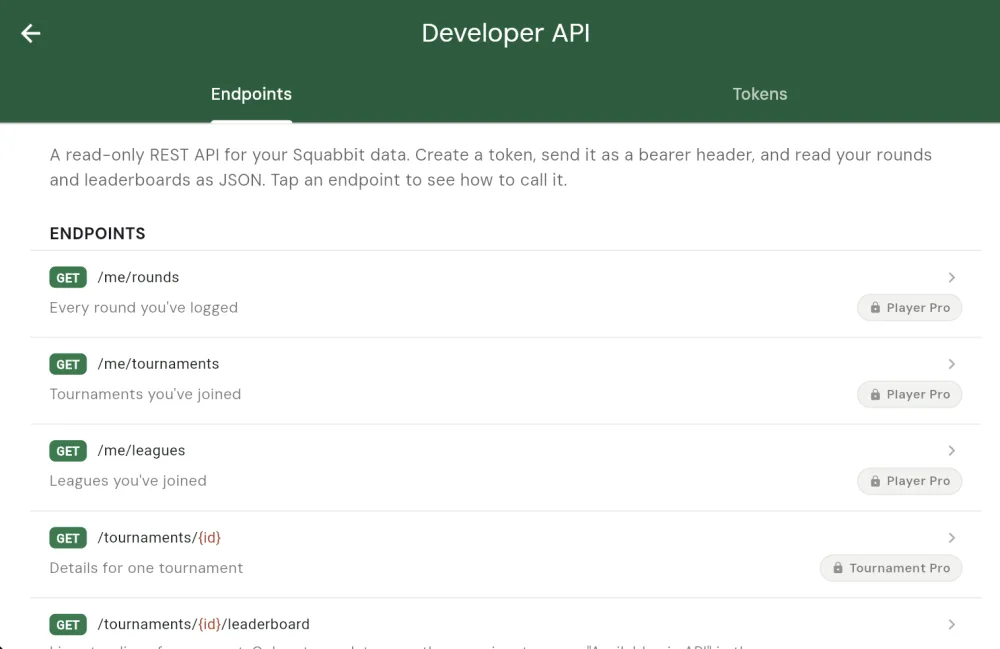
What you can read
Every endpoint is a simple GET against https://app.squabbitgolf.com/api/v1. The responses are paginated JSON with a nextCursor you can pass back to page through larger lists. What a token can reach depends on your subscription:
- Your own data (Player Pro):
/me/rounds,/me/tournaments, and/me/leagues. Every round you have logged, and the tournaments and leagues you have joined. - Tournament data (Tournament Pro):
/tournaments/{id},/tournaments/{id}/leaderboard, and/tournaments/{id}/rounds. - League data (League Pro):
/leagues/{id},/leagues/{id}/tournaments, and/leagues/{id}/leaderboardfor season-long standings.
Most list endpoints also take optional limit, from, and to parameters so you can narrow a request to a date range or a page size.
The headline: live leaderboards, anywhere
The one people have been asking for is the leaderboard. Point a request at /tournaments/{id}/leaderboard and you get the live standings for that event as JSON, broken out by format:
curl -H "Authorization: Bearer YOUR_TOKEN" \
  https://app.squabbitgolf.com/api/v1/tournaments/t_3Qa/leaderboard
{
"tournamentId": "t_3Qa",
"leaderboard": {
"formats": [
{ "format": "strokeplay", "formatName": "Stroke Play",
"userEntries": [
{ "name": "A. Player", "position": 1,
"grossScore": 72, "scoreToPar": "E", "total": "72" }
] }
]
}
}From there it is yours to shape. Build a custom, branded scoreboard graphic, drop the standings into your own website widget, keep a Google Sheet updating itself, or feed them into a dashboard you already run. The league version, /leagues/{id}/leaderboard, does the same for season-long standings, so you can surface your season in whatever custom spot fits your group.
Organizers turn it on per event
Leaderboard data stays private until the organizer opts in. On any tournament or league, open the Actions settings, find the API section, and flip on Available via API. That same section shows the event's ID (tap to copy) so you have the {id} to drop into the URL.
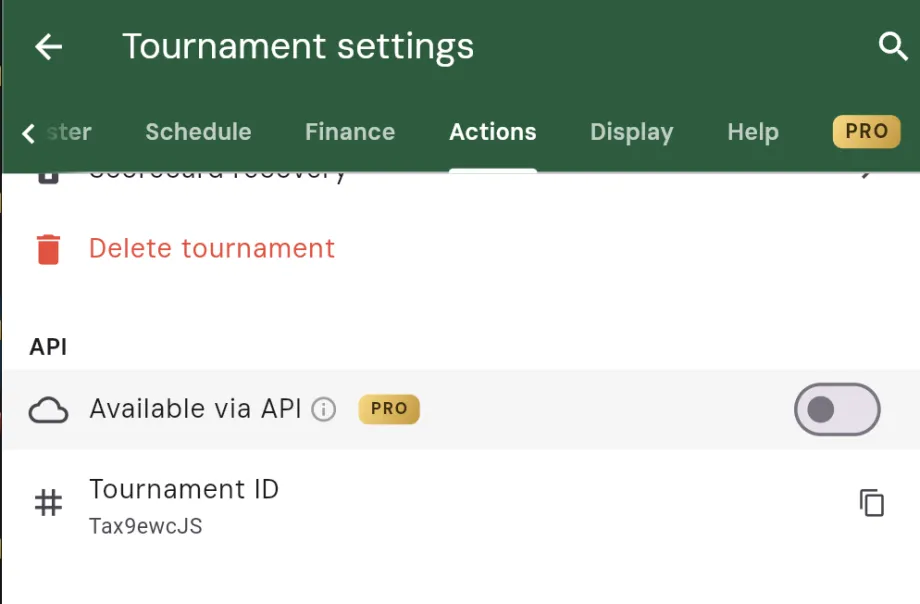
Until that toggle is on, the leaderboard endpoint returns nothing for that event. Nothing becomes readable without an admin deliberately choosing to expose it.
Getting a token
Tokens are personal to you. To create one, open your profile settings and tap API access, then the Tokens tab, then New token. Give it a name you will recognize later (for example, "My dashboard"), and Squabbit mints it.
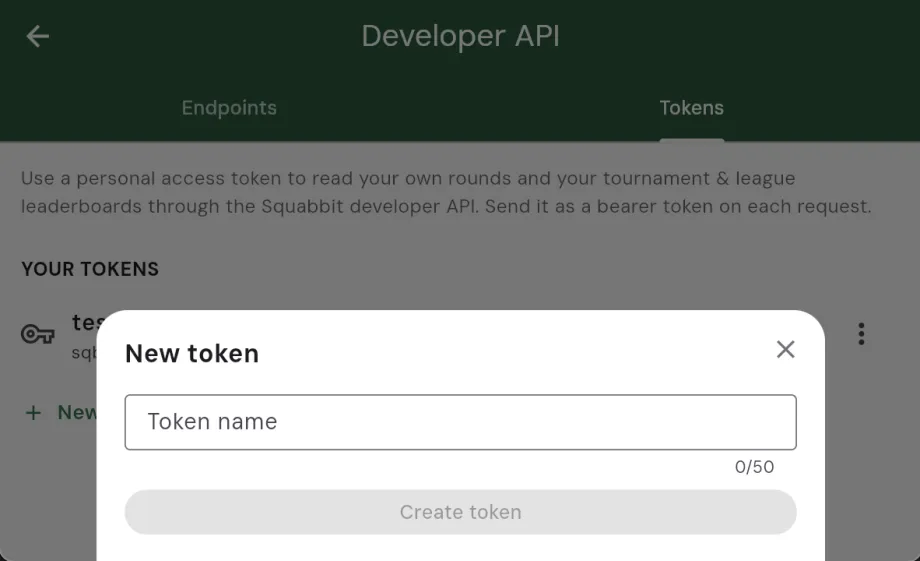
You will see the full token exactly once, so copy it somewhere safe right then. After that, only a short prefix is shown in your list for reference. If you ever lose a token or want to cut off access, revoke it and create a new one. Send the token as a bearer header on every request:
curl -H "Authorization: Bearer YOUR_TOKEN" \
  https://app.squabbitgolf.com/api/v1/me/rounds?limit=50
What you need
Creating a token requires a Player Pro subscription, which also unlocks the /me/* endpoints for your own rounds, tournaments, and leagues. Reaching a specific tournament's or league's endpoints additionally needs the matching tier (Tournament Pro or League Pro), and each higher tier includes the ones beneath it.
The API is read-only by design. It hands your Squabbit data out as JSON; it never writes anything back, so nothing you build against it can change a score or a setting.
Go build something
If you have ever wanted your rounds in a spreadsheet, your tournament up on a clubhouse screen, or your league standings living on your own site, the pieces are now in place. Grab a token, point a request at your data, and see what you can make.