Lock screen leaderboards
Jun 9, 2026
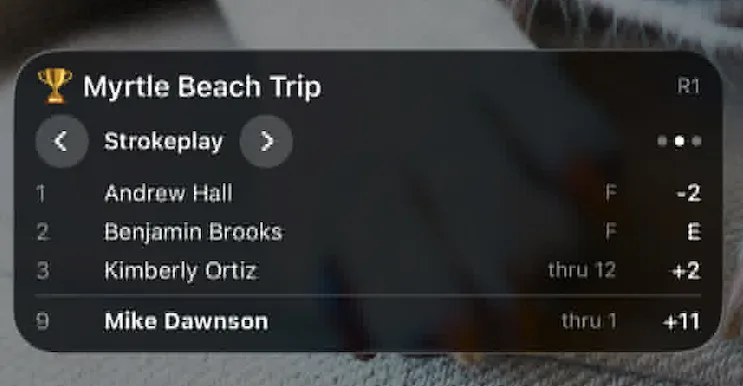
Following a tournament used to mean unlocking your phone, opening Squabbit, and tapping through to the leaderboard every time you wanted to know where things stood. Not anymore. With lock screen leaderboards, the live standings appear right on your lock screen while a round is in progress, so you can keep up with the action at a glance.
Always up to date
As soon as a round kicks off, the lock screen leaderboard goes live. It refreshes automatically as scores come in, so what you see is always current. There is nothing to tap and nothing to refresh: just glance down at your phone and you are caught up.
On iPhone it appears as a Live Activity (you will also see it on the Dynamic Island), and on Android it shows up as an ongoing notification. Either way, it sits front and centre without you ever having to open the app.
The standings you care about
The lock screen leaderboard shows the current standings so you can see who is leading and how the field is stacking up. For team formats it surfaces the team scores, so you can track how your side is doing as a unit. And for a Ryder Cup, it shows the projected score, giving you an instant read on which team is on course to take the cup.
One tap to the full picture
When you want the complete story, just tap the lock screen leaderboard and you will jump straight into the full leaderboard inside the app, where you can dig into every score, flight, and detail.
Lock screen leaderboards make following a tournament effortless. Start a round in Squabbit and watch it show up where you will actually see it.