Your golf stats, tracked over time
August 24, 2026
Every round you log adds to the picture of your game. The Stats tab on your profile turns all of it into charts and numbers you can actually read, so you can see where you're gaining strokes and where they're leaking away.
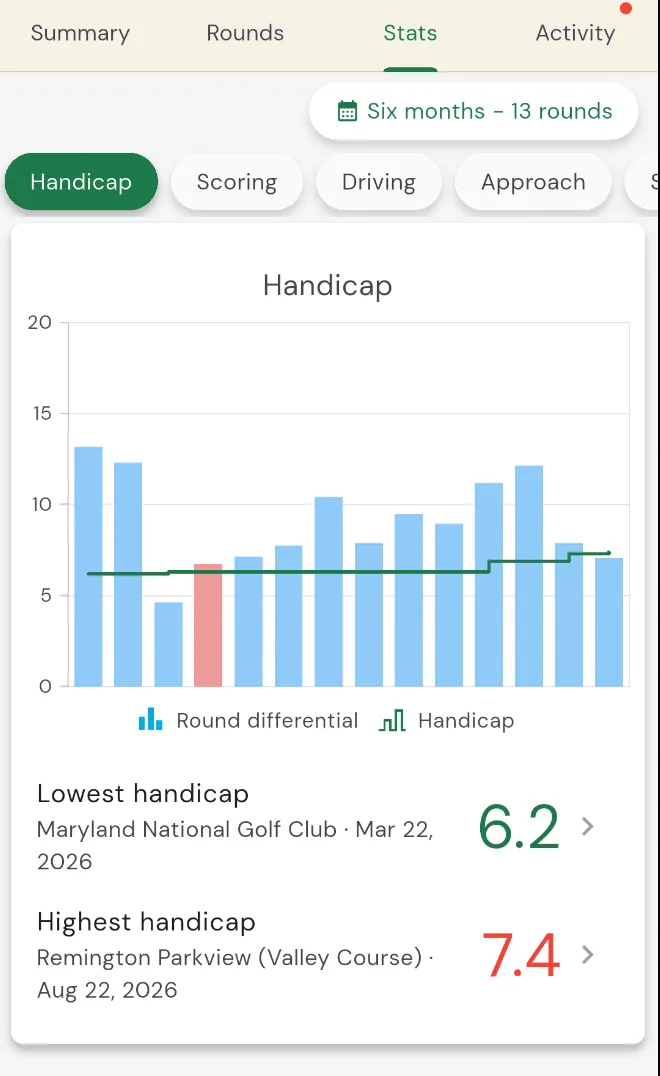
Your whole game, in one place
The Stats tab groups everything into the parts of the game you'd actually work on:
- Handicap. Your index charted over time, with your lowest and highest along the way.
- Scoring. Averages, your birdie, par and bogey breakdown, and streaks like longest run of pars.
- Driving. Distance and fairways hit.
- Approach. Greens in regulation and how close you're leaving it.
- Short game. Up-and-downs and scrambling.
- Putting. Putts per round and per hole.
- Bag. How each club is actually performing for you.
See how you're trending
Pick a window from the date range at the top of the page: the last six months to check your recent form, a full year, or all the way back to your very first round. Your handicap line, scoring averages and every category update to match, so a good stretch (or a slump) is easy to spot.
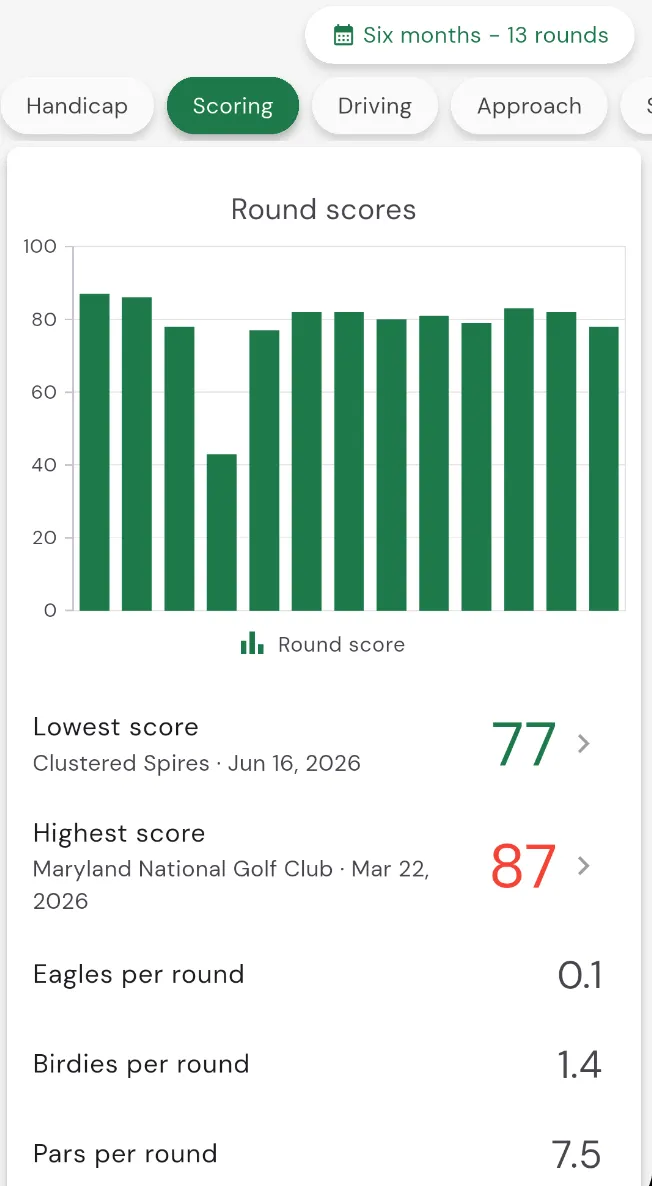
Find it
Open your profile and tap the Stats tab. The more rounds you have on Squabbit, the fuller the picture, and it keeps building with every card you post.